
Short answer
- Etsy: 2000 px or more on both sides, under 1 MB, no transparency.
- Shopify: 2048 × 2048 px for a square, PNG or JPEG.
- Amazon: a JPEG on pure white, the product large in the frame, 1,000 px or more.

Get these sizes with a right-click: Ricly puts photo tools in your Finder menu. Free for Mac.
Download for MacSend it to my MacThe sizes, store by store
| Etsy | Shopify | Amazon (main image) | |
|---|---|---|---|
| Recommended size | At least 2000 px wide and 2000 px tall | 2048 × 2048 px for square images | 1,000 px or more on the longest side (turns on zoom) |
| Smallest | 635 px wide and tall for the first photo, or it shows lower in search | Not stated | 500 px on the longest side |
| Largest | Not stated | 5000 × 5000 px (25 megapixels) | 10,000 px on the longest side |
| Shape | First photo landscape or square. Leave room around the item: thumbnails are cropped | Not stated. For square images, 2048 × 2048 px | Not stated |
| Background | No color rule. Each listing needs at least one unedited photo on a real background | Not stated | Pure white (RGB 255, 255, 255), product at 85% of the image |
| File weight | Over 1 MB may not finish uploading | Under 20 MB | Not stated on the image requirements page |
| Formats | JPG, PNG, GIF, SVG, HEIC. No transparency: it shows as black | PNG (best), JPEG, also TIFF, BMP, GIF, SVG, HEIC, WebP | JPEG (recommended), PNG, TIFF, non-animated GIF |
Sources, checked October 25, 2026: Etsy Help, Shopify Help Center, Amazon Seller Central (US). Stores change their rules: check the page before a big upload.

From phone photo to listing
Your iPhone saves photos as HEIC. Etsy and Shopify accept HEIC as it is. Amazon doesn’t: it wants JPEG, PNG, TIFF or GIF.
- HEIC to JPG turns a whole selection of iPhone photos into JPGs. Each JPG lands next to its original.
- Strip Metadata writes a copy without the location and camera details. A photo taken at home can carry where it was taken.
- Your photos stay on your Mac. Ricly’s photo tools work on your Mac and upload nothing.

See how to convert HEIC to JPG on a Mac and Strip Metadata.
A clean white background in one right-click
Right-click a photo, choose Remove Background, then Store-ready.

- Ricly cuts out the product and puts it on a white square.
- By default, with the setting labeled Amazon, the product’s longest side fills 85% of the square. Amazon asks for the product at 85% of its main image.
- Pick Tight (95%) for small things like rings. Pick Airy (70%) for a chair or a lamp.
- The square is 1,000 to 4,000 px. From 1,000 px, Amazon turns on zoom.
Need the same frame instead of a square? Choose White. It keeps your framing, on white.
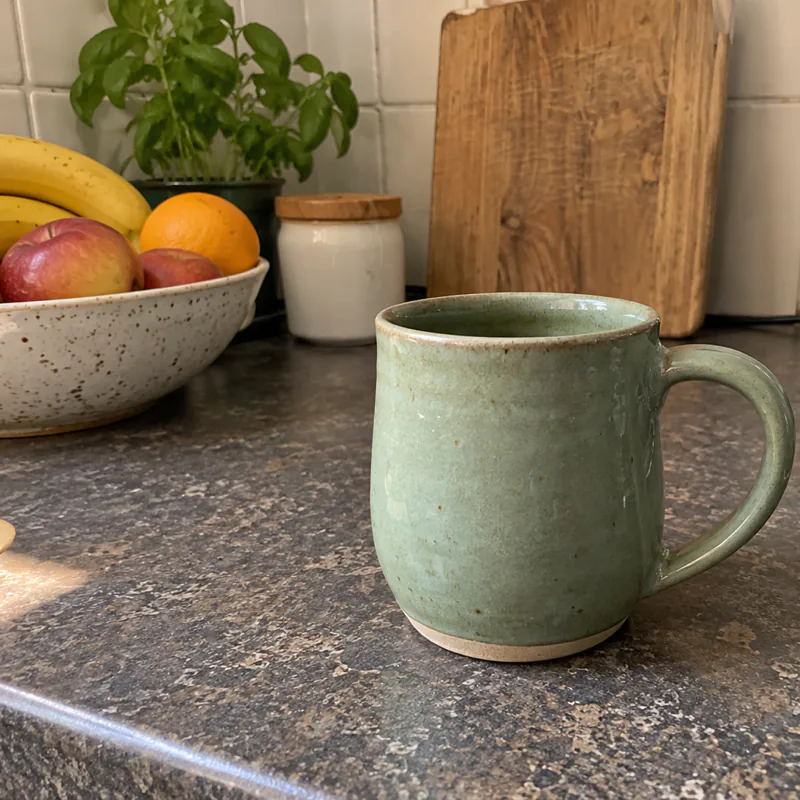 Before
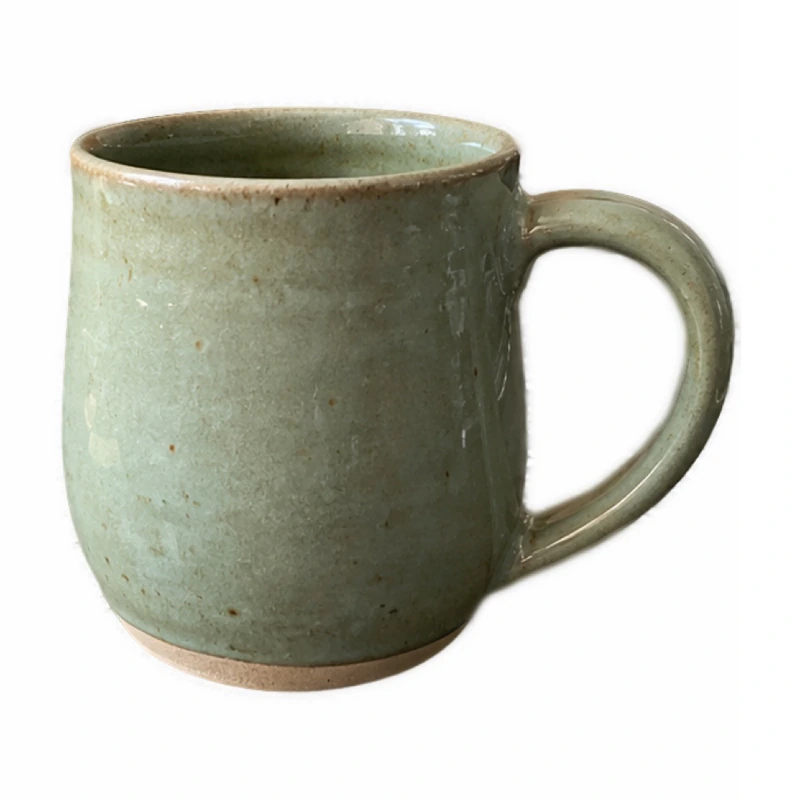 After
AfterGood to know
- Start from your original photo, not a small copy. Amazon asks sellers not to enlarge small images.
- Etsy asks for at least one unedited photo of the real item, on a real background, in every listing. Ricly never touches your original: the white version is a new file next to it.
- Skip Transparent for Etsy. Etsy shows transparent areas in black.
See how to remove a background on a Mac.
The exact size for each store, 20 photos at once
Select your photos, right-click, choose Quick Resize. Every photo gets the same setting. The copies land next to the originals.
- For Shopify: type 2048 × 2048 and choose Crop. Ricly fills the square and keeps the product in the center. It never enlarges a crop: start from your original phone photo. Choose Fit to keep the whole photo, with white margins in a JPG.
- For Etsy: choose Under… 1 MB. Ricly finds the largest size that fits under 1 MB. The new file’s name shows its size, like
Mug [2400x1800].jpg: check that it stays at 2000 px or more. - For a quick shrink: 25%, 50% or 75%.
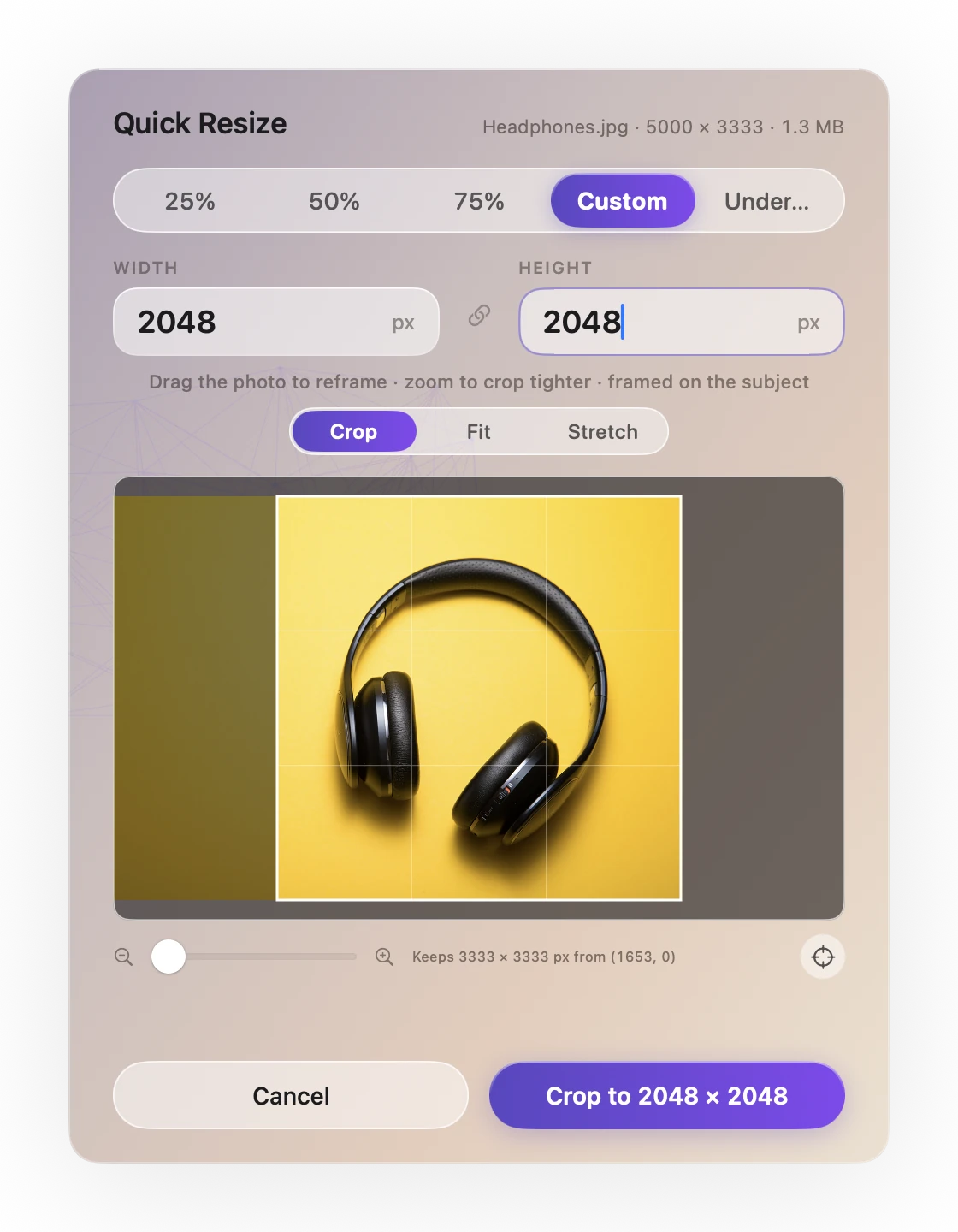
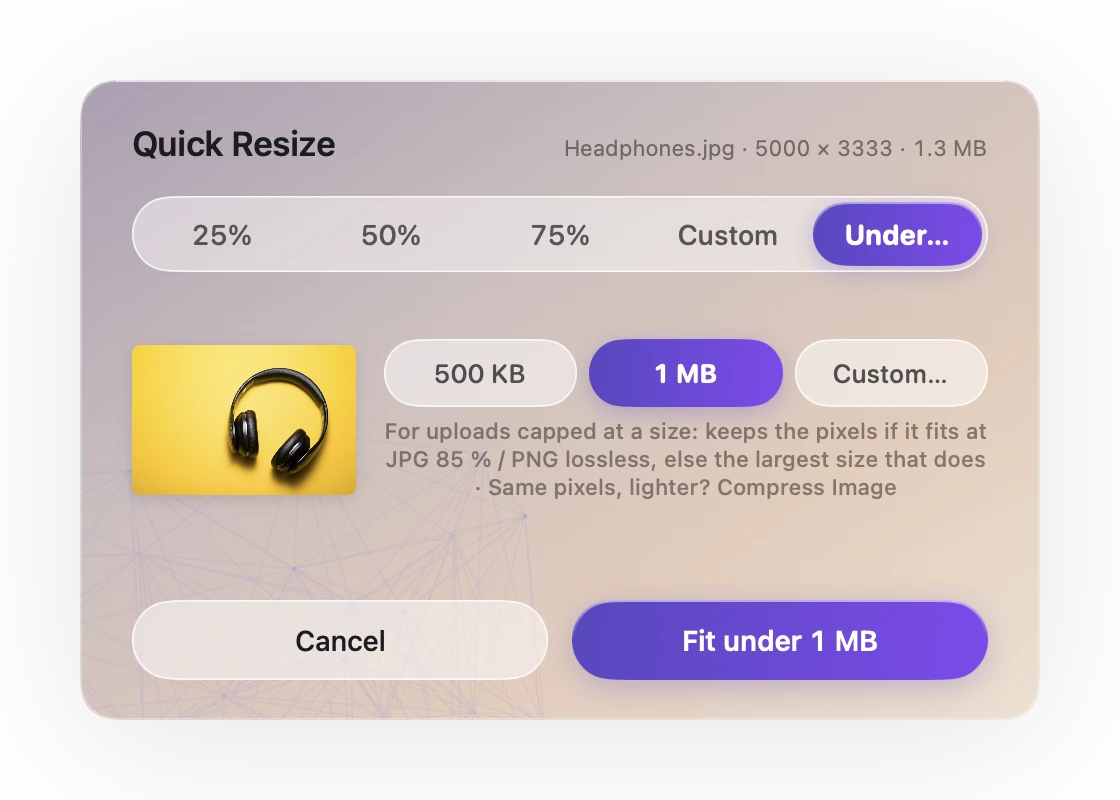

See how to resize an image on a Mac.
Lighter photos, faster pages
Compress Image makes a lighter copy of a JPG or a PNG, at the same size in pixels. To fit under a set weight, like Etsy’s 1 MB, use Quick Resize › Under… instead.
About WebP
- You don’t need it for Shopify. Shopify picks the best format for each visitor’s browser on its own.
- Etsy doesn’t accept WebP.
- Image to WebP is for your own website, when it asks for WebP.
See how to compress an image on a Mac and how to convert to WebP.
Send full-resolution photos to a boutique buyer
A shop or a magazine wants your photos at full size, and email won’t take them. Select the photos, right-click, choose Upload & Share. Ricly uploads them and puts a link on your clipboard. Your buyer downloads them without an account.
It is the one Ricly tool that goes online, because sending needs to.

See how to send large files from a Mac.
Made for every kind of shop
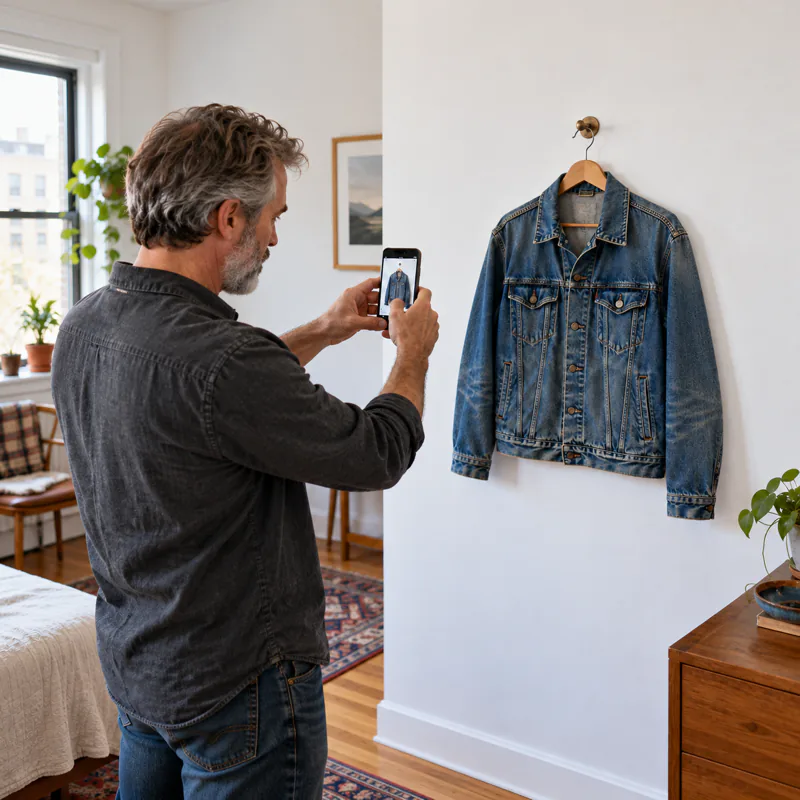
Vintage clothing
- Hang the piece on a plain wall and shoot.
- Strip Metadata, if you shot at home.
- Quick Resize › Under… 1 MB for Etsy.

Jewelry
- Remove Background › Store-ready › Tight: a ring fills 95% of the square.
- Keep one unedited photo for Etsy.
- Quick Resize › Under… 1 MB.

Skincare
- Remove Background › Store-ready, at 85%, for a clean product shot on white.
- Quick Resize › 2048 × 2048 › Crop for your Shopify gallery.

Cards and stationery
- Shoot the cards flat, from above.
- Quick Resize › 2048 × 2048 › Fit, so no corner gets cut.
- Photo Grid (Pro) to show the whole set in one image.
The right-click way
When you sell a lot
- Batch Rename: give a whole shoot your product names, like
sage-mug-01.jpg,sage-mug-02.jpg. Write the pattern once, with a counter. - Photo Grid: two to six photos in one image. Three angles, or a before and after.
- Upscale Image: makes a small supplier picture larger for your own shop pages. For Amazon, use real photos: Amazon asks sellers not to enlarge small images.
See how to batch rename files on a Mac, how to combine photos and Upscale Image.
“This app saves me time. Super convenient!”
Product photos for online stores: common questions
What size should Etsy listing photos be?
Etsy recommends at least 2000 px in width and in height. The first photo should be at least 635 px on both sides, or it shows lower in search. Keep files under 1 MB, or they may not finish uploading. Source: Etsy Help, checked October 25, 2026.
What is the best Shopify product image size?
For square images, Shopify says 2048 × 2048 px usually displays best. Images can go up to 5000 × 5000 px (25 megapixels) and must be under 20 MB. Source: Shopify Help Center, checked October 25, 2026.
What are Amazon’s main image requirements?
A pure white background (RGB 255, 255, 255), the product at 85% of the image, the whole product in the frame, and 500 to 10,000 px on the longest side. From 1,000 px, zoom turns on. JPEG is recommended. Source: Amazon Seller Central (US), checked October 25, 2026.
How do I resize many product photos at once on a Mac?
Select them in Finder, right-click, choose Ricly › Quick Resize, and set one size for all. Each resized copy lands next to its original.
Does Ricly upload my photos?
No. Remove Background, Quick Resize, Compress Image, HEIC to JPG, Image to WebP and Strip Metadata work on your Mac. Only Upload & Share sends files, when you ask it to.
Is Ricly free?
Quick Resize, Compress Image, HEIC to JPG, Image to WebP and Strip Metadata are free with no monthly limit. Remove Background is free to try. Batch Rename, Photo Grid and Upscale Image are part of Pro.