
Short answer
In the Terminal, make the ten sizes Apple names with sips, put them in a folder whose name ends in .iconset, and run iconutil -c icns: you get a full .icns. sips can also write a .icns or a .ico directly, with one size each (we checked). Ricly writes the web, PWA, iOS and macOS sets, named to spec, from one right-click.
Rather right-click the logo and get every set at once? See how Ricly does it ↓
At a glance
| Method | What you get | Sizes | Price |
|---|---|---|---|
| sips + iconutil | A full .icns | The ten sizes Apple names, 16 to 1024 | Built in |
| sips alone | A .icns or a .ico | One size each | Built in |
 Ricly Ricly | Web, PWA, iOS and macOS sets, plus a README | Up to 30 files, with a 16/32/48 favicon.ico | Free for 5 sets a month |
Make an .icns in the Terminal, with sips and iconutil (built in)
- Make a folder whose name ends in .iconset:
mkdir icon.iconset - Make the ten sizes below from a big square PNG, one sips line each, like the first command below.
- Run the second command.
sips -z 32 32 logo.png --out icon.iconset/icon_16x16@2x.png
iconutil -c icns icon.iconset
| File in the .iconset | Pixels |
|---|---|
| icon_16x16.png | 16 × 16 |
| icon_16x16@2x.png | 32 × 32 |
| icon_32x32.png | 32 × 32 |
| icon_32x32@2x.png | 64 × 64 |
| icon_128x128.png | 128 × 128 |
| icon_128x128@2x.png | 256 × 256 |
| icon_256x256.png | 256 × 256 |
| icon_256x256@2x.png | 512 × 512 |
| icon_512x512.png | 512 × 512 |
| icon_512x512@2x.png | 1024 × 1024 |
We made all ten from one logo on macOS 15.7, and iconutil turned the folder into a valid .icns.
Make a favicon.ico with sips (built in)
sips -s format ico favicon-48.png --out favicon.ico
That writes a .ico from a PNG. It holds the one size you give it: our test came out as a single 48 × 48 icon. sips -s format icns works the same way, with one size inside.
The right-click way
Make app icons and favicons with Ricly
- Install Ricly and open it. Turn on the Finder extension when it asks (one setting), then create your free account and verify your email. In Ricly › Modules, click Enable on Generate Icon Set (it’s off at first).
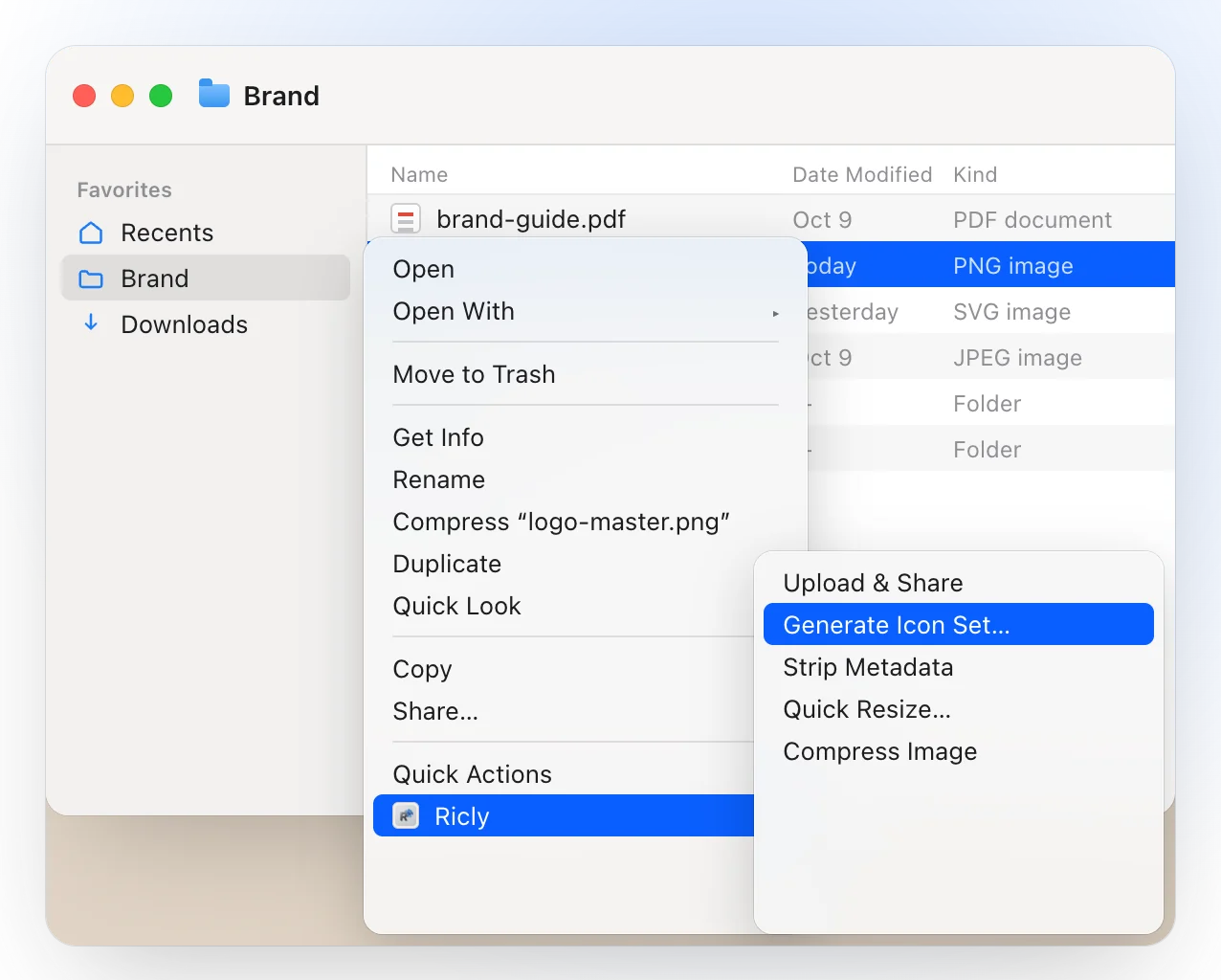
- In Finder, right-click your logo, the largest square you have, like a 1024-pixel PNG or an SVG.
- Choose Ricly › Generate Icon Set…, then pick a target: the folder lands next to the logo.
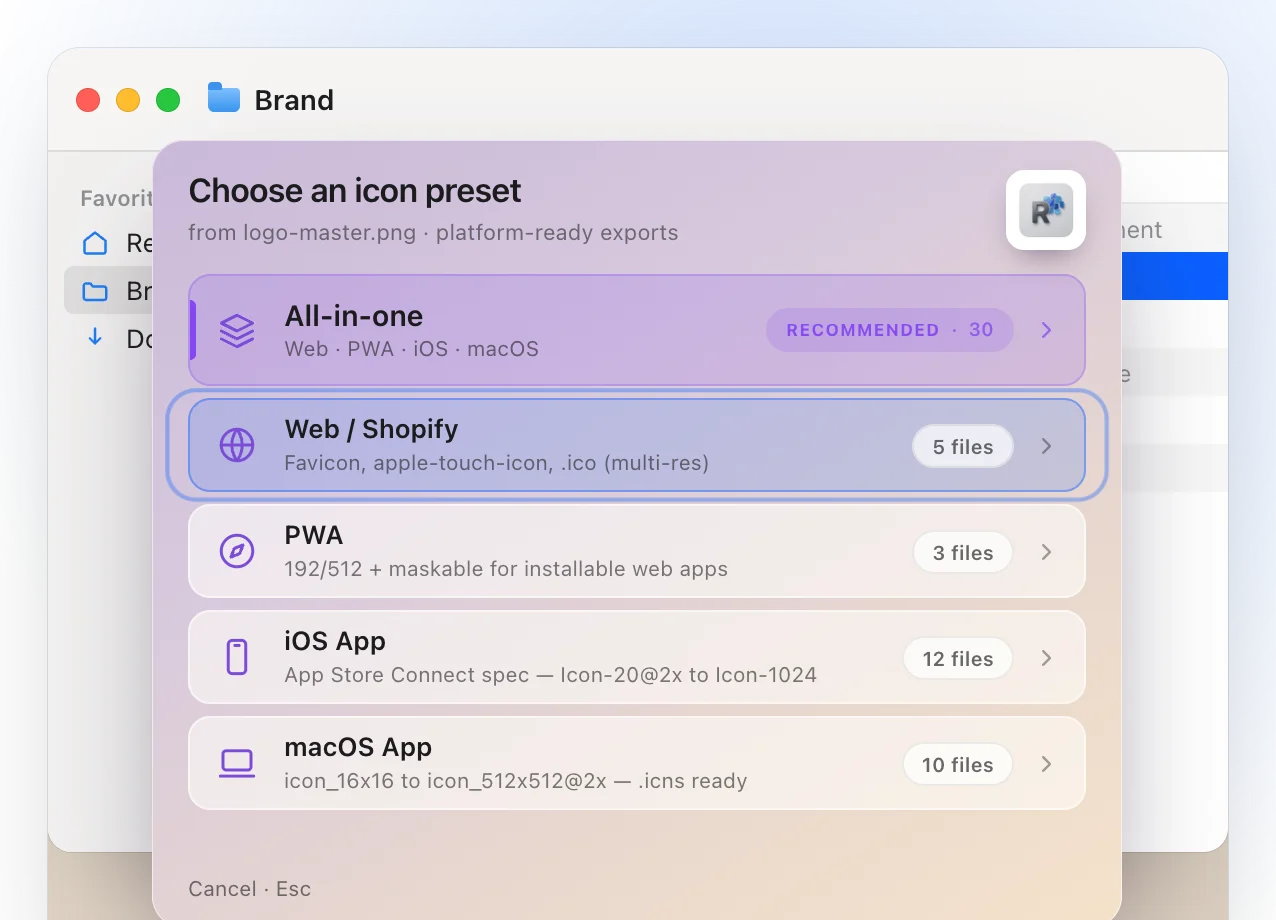
- Web / Shopify: favicon-16, favicon-32, favicon-48, apple-touch-icon-180 and a favicon.ico carrying 16, 32 and 48 in one file.
- PWA: icon-192, icon-512 and a maskable-512 drawn with 20 % clear on every side.
- iOS: the twelve App Store Connect files, from Icon-20@2x (40 px) to Icon-1024.
- macOS: the ten files of Apple’s iconset; rename the folder to .iconset and iconutil makes the .icns.
- A plain-text README beside the icons says what each file is for.
- It reads PNG, JPG, SVG, HEIC, WebP and TIFF, and everything is drawn on your Mac.
Where it falls short. The free plan covers five sets a month; All-in-one, the four targets in one run, is Pro. It works on one logo at a time. It needs macOS 13 or later.
Which one should you use?
Making app icons on a Mac: common questions
How do I make an .icns file from a PNG on a Mac?
Make the ten sizes Apple names, put them in a folder whose name ends in .iconset, then run iconutil -c icns name.iconset. sips -s format icns also writes a .icns, but with one size inside.
Can a Mac make a favicon.ico?
Yes: sips -s format ico writes one, with the single size you give it. Ricly’s Web target writes a favicon.ico carrying 16, 32 and 48 pixels in one file.
What sizes does a macOS app icon need?
Apple’s iconset names ten files, from icon_16x16.png (16 px) to icon_512x512@2x.png (1024 px). Two of them, icon_16x16@2x and icon_32x32, are both 32 pixels: the system picks between them by the display’s density.
What size should my logo be?
As big as you have, and square: a 1024-pixel PNG or an SVG covers the 1024-pixel outputs.
Can I make icons from an SVG?
With Ricly, yes: Generate Icon Set opens SVG, PNG, JPG, HEIC, WebP and TIFF.
Is it free?
sips and iconutil are built in. Ricly’s Generate Icon Set is free for five sets a month; All-in-one is Pro.
Is my logo uploaded anywhere?
Not with Ricly: every size is drawn on your Mac.
Generate Icon Set in Ricly →Resize images on a Mac →Convert images to WebP on a Mac →
