

Short answer
Ricly sends a file from the Finder right-click menu and puts the link on your clipboard. Its free plan keeps 1 GB online at a time, with 3 new links a day that each last 3 days; WeTransfer’s free plan allows 10 transfers, or 3 GB in total, in any 30 days. Both ask the sender for an account, and neither asks the person downloading for one. If you send very large deliveries, want to send by email, or need to send from any browser or a phone, keep WeTransfer.
Who it’s for: Mac users who send files a few times a week and want the link without opening a browser.
Why people look for a WeTransfer alternative
- Free limits. WeTransfer’s free plan allows 10 transfers, or 3 GB in total, in any rolling 30-day window, and free transfers stay online for up to 3 days. Sources: Plan limits, How long are transfers available to download?
- An account to send. Since November 2024, WeTransfer asks everyone who sends a transfer to have an account, created by verifying an email address. Ricly asks for one too: a free account with a verified email. Source: Why do I need to create an account to send a transfer?
- A browser tab for each send. On the web, every transfer starts with a tab and a file picker. WeTransfer’s own Mac app removes that step: it lives in the menu bar and can send from the Finder. Source: The WeTransfer Mac app
WeTransfer vs. Ricly (as of October 2026)
| WeTransfer |  Ricly Ricly | |
|---|---|---|
| Where it works | Any browser, a Mac app, iPhone and Android apps | Mac only (macOS 13 or later) |
| From the Finder | With its Mac app: right-click › Create a transfer | Right-click › Ricly › Upload & Share |
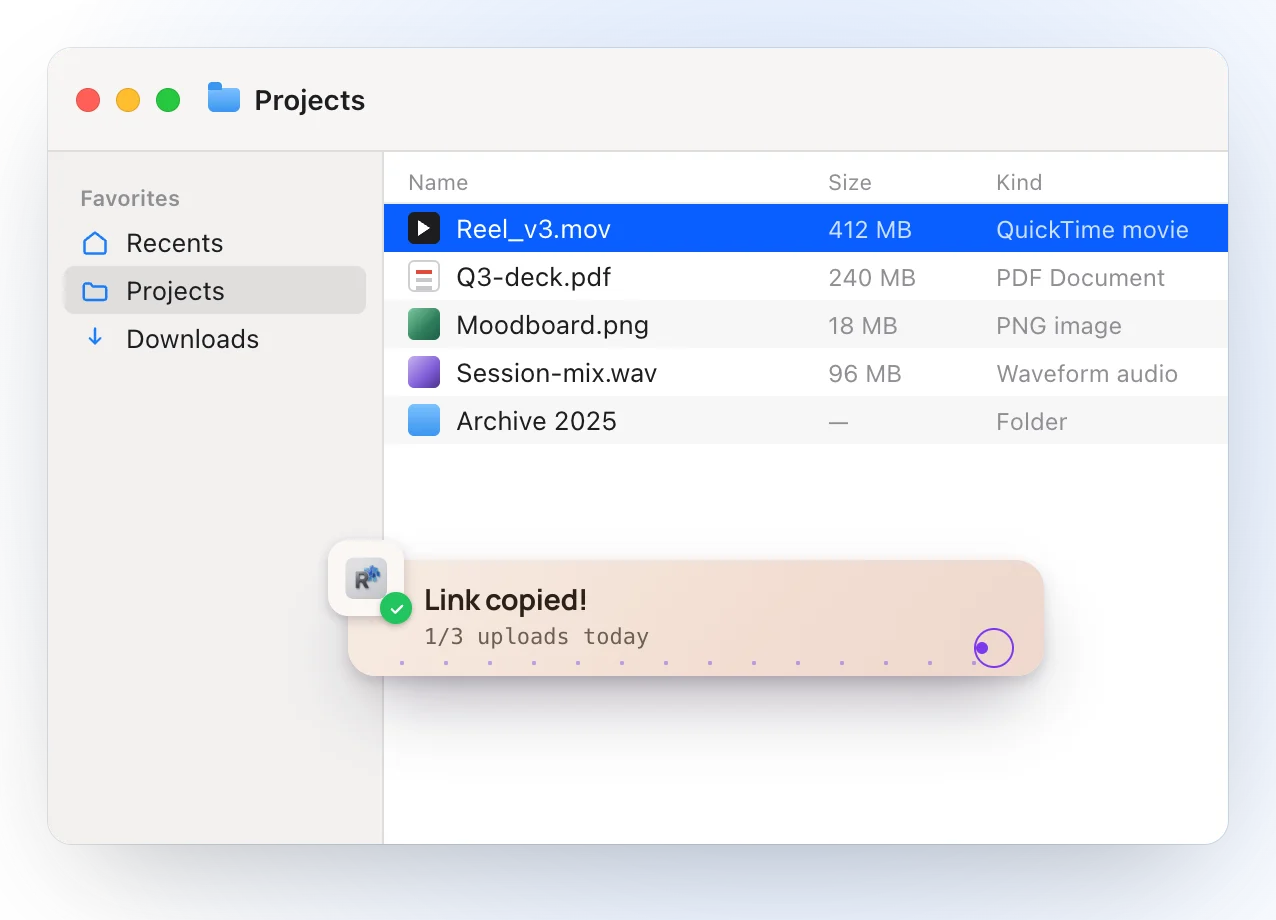
| The link on your clipboard | Mac app: an “auto-copy link to clipboard” setting | Copied when the upload finishes |
| Send by email | Yes, as an email transfer or a link | No: a link to paste anywhere |
| Account to send | Yes, since November 2024 | Yes, free, with a verified email |
| Account to download | No | No |
| Free plan | 10 transfers or 3 GB in any 30 days; online for up to 3 days | 1 GB online at a time, 3 new links a day; 3 days each |
| Paid plan | Ultimate: unlimited transfers, up to 1 TB each, no set expiry, password protection | Pro: 20 GB online at a time, 30-day links |
| Price | See WeTransfer’s pricing page | Pro: €4.99/month, or €47.88/year |
| Beyond sending | File requests, paid downloads, e-signatures | 16 more file tools in the same menu: compress, convert, resize, remove backgrounds |
| To start | Web: nothing to install | Install the app and create a free account |
Send a file from your right-click menu, and get the link on your clipboard.
What WeTransfer does well, and when to keep it
WeTransfer sends far bigger transfers on its paid plans, up to 1 TB each on Ultimate, with password protection and transfers that stay online as long as you want. It delivers by email as well as by link, runs in any browser and on phones, and its own Mac app sends from the Finder and can copy the link for you. If you deliver large projects to clients every week, keep it.
The right-click way
What Ricly does when you send a file
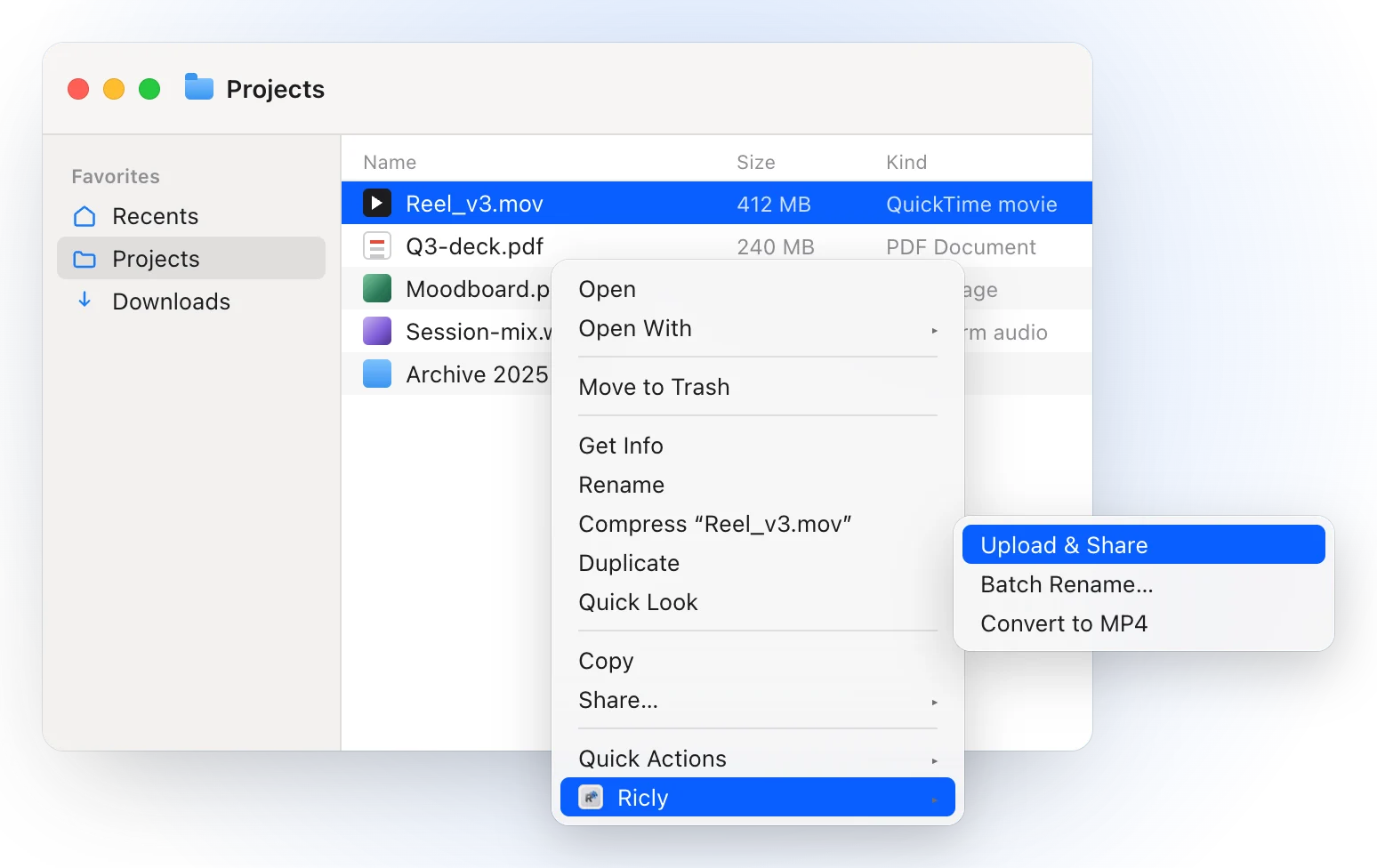
- Right-click a file or a folder in Finder and choose Upload & Share. A folder is zipped for you, and several files travel under one link.
- When the upload finishes, the link is already on your clipboard.
- The person you send it to gets one page and one button, with no account, on a phone as well as a computer.
- Shared Links lists every live link, the time left and the downloads. Revoke one and it stops working immediately.
- If the Wi-Fi drops, Ricly waits up to two minutes and carries on; a file over about 134 MB picks up from the last piece instead of starting again.
- It’s the one Ricly tool that uploads. The 16 others work on your Mac.
Switch in 2 minutes
- Install Ricly and open it. Turn on the Finder extension when it asks (one setting), then create your free account and verify your email.
- In Finder, right-click the file or folder and choose Ricly › Upload & Share (Upload & Share Lite on Free).
- Paste the link wherever you like. On Free, it works for 3 days.
Before you send
- A PDF too heavy → Compress PDF.
- Photos too big → Compress Image.
- A MOV that won’t play everywhere → Video to MP4.
- Location in a photo → Strip Metadata.
WeTransfer alternatives: common questions
Is WeTransfer still free?
Yes. WeTransfer’s free plan allows 10 transfers, or 3 GB in total, in any rolling 30 days, and free transfers stay online for up to 3 days (WeTransfer help center, October 2026).
Can I use WeTransfer without an account?
Not to send: since November 2024, WeTransfer asks senders for an account, created by verifying an email address. The person downloading doesn’t need one. Ricly works the same way: a free account with a verified email to send, nothing for the person who downloads.
Does WeTransfer have a Mac app?
Yes. “WeTransfer: Send Files” is free in the Mac App Store and needs macOS 12.4 or later. It lives in the menu bar and can send from the Finder.
Is there a free WeTransfer alternative for large files on a Mac?
Mail Drop, built into Mail, sends up to 5 GB through iCloud, and the recipient has 30 days to download it. Ricly’s free plan keeps 1 GB online at a time, with 3 new links a day; Pro raises that to 20 GB and 30-day links.
Is there a size limit per file with Ricly?
The limit is what you keep online at once: 1 GB on Free, 20 GB on Pro, and a single file can fill it. When several files travel under one link, each can be up to 4.9 GB.
Does Ricly work on Windows?
No, Ricly is a Mac app. The person you send to can download in any browser, on Windows, Android or an iPhone.
Upload & Share in Ricly →Send large files from a Mac →Other alternatives →
