

Short answer
Ricly removes the background on your Mac, from the Finder right-click menu, and gives you the cut-out at your photo’s own size, free for 10 images a month. remove.bg’s free option works in any browser without an account, but gives a low-resolution preview, up to 0.25 megapixels, for personal use; larger images and commercial use are paid. If you need an API, editing tools or Windows, keep remove.bg. And macOS has its own: Remove Background in the Finder’s Quick Actions and in Preview.
Who it’s for: Mac users who cut out product photos, portraits or logos and want the cut-out at the photo’s own size, without uploading it.
Why people look for a remove.bg alternative
- Free means low resolution. remove.bg is free for low-resolution images, up to 0.25 megapixels (625 × 400, for example), processed on its website and for personal use. Images up to 50 megapixels, and commercial use, come with a paid plan or credits. Sources: Is remove.bg free?, What is the maximum image resolution?, Can I use remove.bg for commercial purposes?
- Uploading photos. remove.bg processes your photo on its servers and says it deletes the upload and the result at the latest about one hour later, and doesn’t use them to train its AI unless you choose to contribute. For a client’s product shots or a family photo, some people would rather the photo stayed on their Mac. Sources: Is remove.bg safe?, Do you use my images to train the AI?
- The Mac already does part of it. macOS has Remove Background in the Finder’s Quick Actions and in Preview, free and built in. See our guide.
remove.bg vs. Ricly (as of October 2026)
| remove.bg |  Ricly Ricly | |
|---|---|---|
| Where it works | Any browser, a desktop app for Windows, Mac and Linux, an Android app, an API | Mac only (macOS 13 or later) |
| Where your photo is processed | On remove.bg’s servers, from the website, the desktop app or the API | On your Mac |
| Free plan | Low-resolution previews (up to 0.25 MP) on the website, for personal use; 50 free previews a month in the desktop app or the API | 10 images a month, at your photo’s own size, with the same model as Pro |
| Output size | Up to 50 MP, with a paid plan or credits | Your photo’s own size, on every plan |
| Account | Not needed for free previews on the website; the desktop app needs one, and its API key | A free account |
| Finishes and edits | Transparent or a new background, Magic Brush, AI Shadow | Transparent PNG, white JPG, or a store-ready white square |
| Formats | JPG, PNG, WebP, up to 22 MB | JPG, PNG, HEIC, TIFF |
| Paid plan | See remove.bg’s pricing page | Pro: €4.99/month, or €47.88/year |
| Beyond backgrounds | API, Photoshop extension, design templates, video background removal | 16 more file tools in the same menu: compress, convert, resize, share |
| To start | Nothing to install | Install the app and create a free account |
Remove a background from your right-click menu, at your photo’s own size.
What remove.bg does well, and when to keep it
remove.bg goes up to 50 megapixels, has an API for developers, a Photoshop extension and apps for Windows, Linux and Android, and editing tools like Magic Brush and AI Shadow. It also removes backgrounds from video, and its website works without an account. If that’s what you need, keep it.
Built into your Mac
In the Finder, Control-click a photo and choose Quick Actions › Remove Background (on macOS 27, it’s under More). In Preview, click the Remove Background button. In Photos, Control-click a photo and choose Copy Subject. They’re free and built in, and the Finder’s is faster than Ricly. In our test, it scaled photos above about 12 megapixels down to about 12 MP, and when it found no subject, it saved nothing and showed no message. Ricly keeps your photo’s own size, and adds a pure white or store-ready finish, from the same right-click menu.
Measured October 2026 on a MacBook Pro M1 Pro, macOS 15.7.
How to remove a background on a Mac: Finder, Preview, Photos and Ricly →
The right-click way
What Ricly does when you remove a background
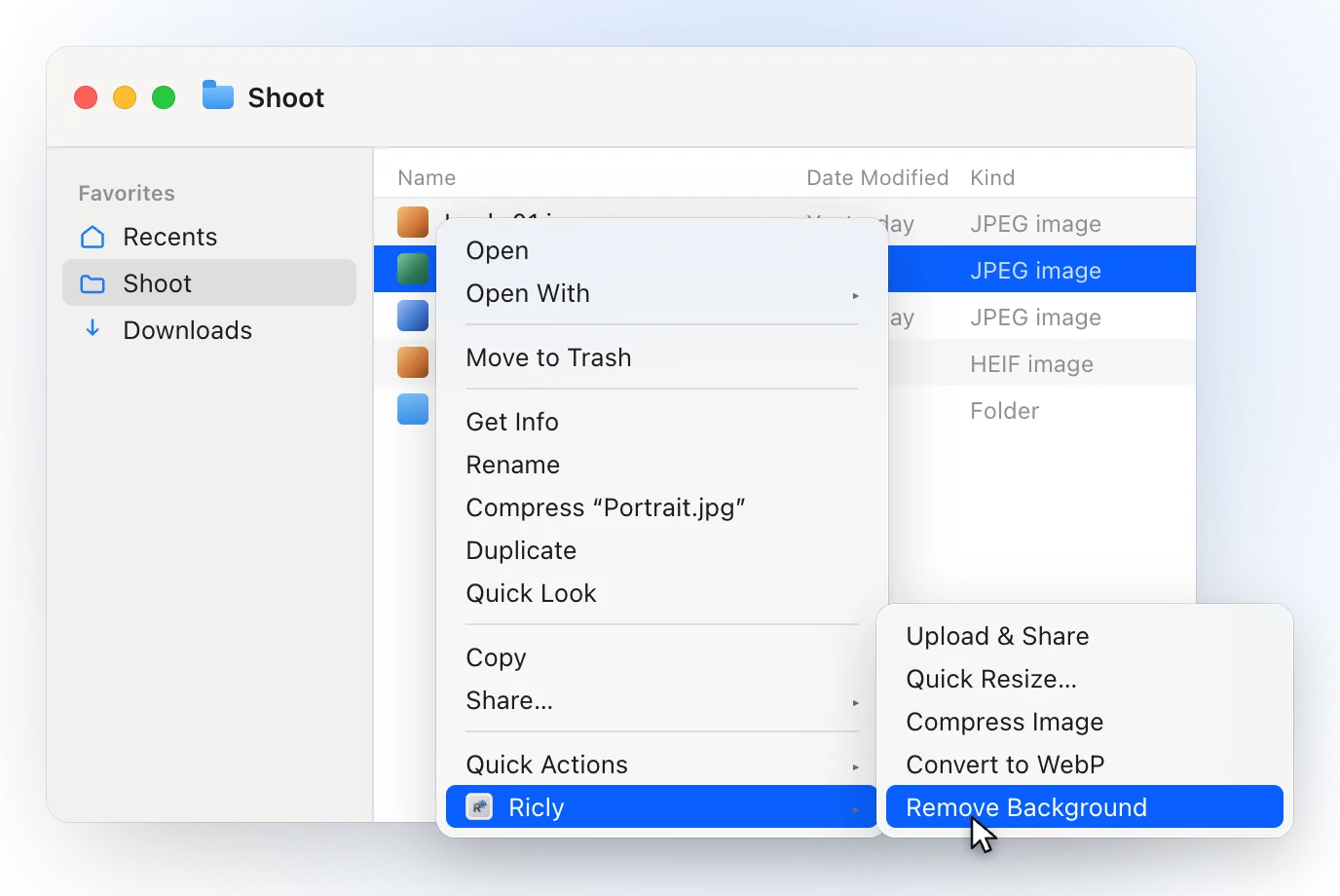
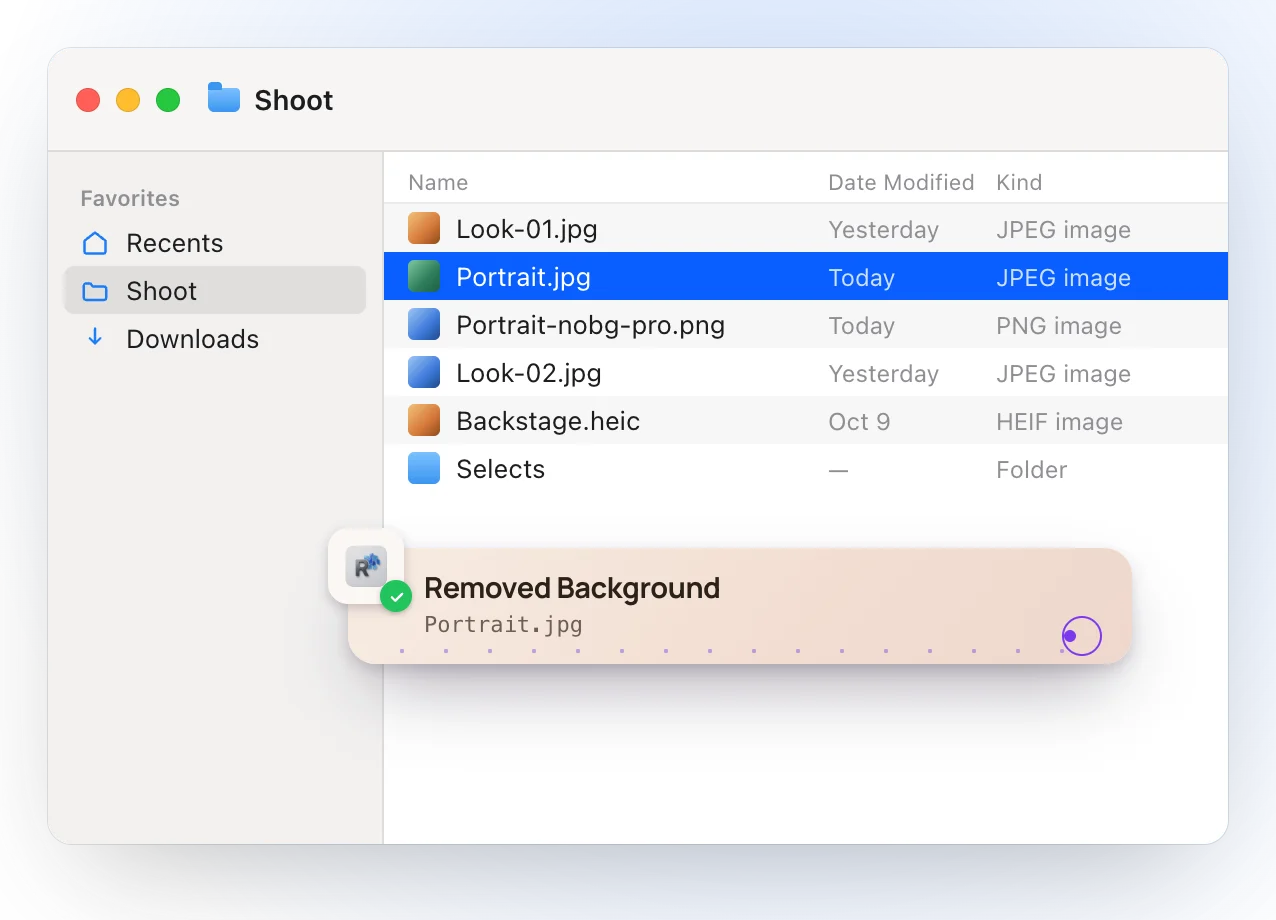
- Right-click a photo in Finder and choose transparent, pure white or store-ready: the new file lands next to the original, which is never modified.
- The model ships inside the app and runs on your Mac, so the photo never leaves it.
- The cut-out keeps your photo’s own size. Store-ready puts it on a white square at least 1,000 px a side, with the product filling 95 %, 85 % or 70 % of it.
- Transparent gives <name>-nobg-pro.png; white gives <name>-white.jpg; store-ready gives <name>-store.jpg.
- Select several photos and right-click once: each gets its own file. On the free plan, a selection larger than what’s left this month is refused as a whole, before anything starts.
- Free and Pro use the same model, at the same quality; Pro removes the monthly limit.
Switch in 2 minutes
- Install Ricly and open it. Turn on the Finder extension when it asks (one setting), then create your free account and verify your email.
- In Finder, right-click the photo, or several, and choose Ricly › Remove Background.
- Pick Transparent, White or Store-ready: the file lands next to the original.
After the cut-out
- A PNG too heavy for the web → Compress Image.
- The right size for a listing → Quick Resize.
- A lighter format for your site → Image to WebP.
- Send it to a client → Upload & Share.
remove.bg alternatives: common questions
Is remove.bg free?
Yes, for low-resolution images, up to 0.25 megapixels, on the website and for personal use, plus 50 free previews a month in its desktop app or API. Images up to 50 megapixels, and commercial use, are paid (remove.bg help center, October 2026).
Is remove.bg safe?
remove.bg says it encrypts transfers, uses your photo only to remove the background, deletes the upload and the result at the latest about an hour later (right after processing with the API), and doesn’t train its AI on them unless you contribute. With Ricly, the photo is processed on your Mac.
Does remove.bg have a Mac app?
Yes: a desktop app for Windows, Mac and Linux, downloaded from its website. It sends your images to the remove.bg API, so it needs an Internet connection, a remove.bg account and the API key from that account; it comes with 50 free previews a month (remove.bg).
How do I remove a background on a Mac for free?
It’s built in: in the Finder, Quick Actions › Remove Background; in Preview, the Remove Background button; in Photos, Copy Subject. Ricly’s free plan covers 10 images a month at your photo’s own size, with a white or store-ready finish too.
Can I remove backgrounds from many photos at once on a Mac?
With Ricly, select them and right-click once: each gets its own file. The free plan covers 10 a month, and Pro removes the limit.
Does Ricly have an API, or work on Windows?
No. Ricly is a Mac app. For an API or Windows, remove.bg is the right tool.
Remove Background in Ricly →Remove a background on a Mac →Other alternatives →
